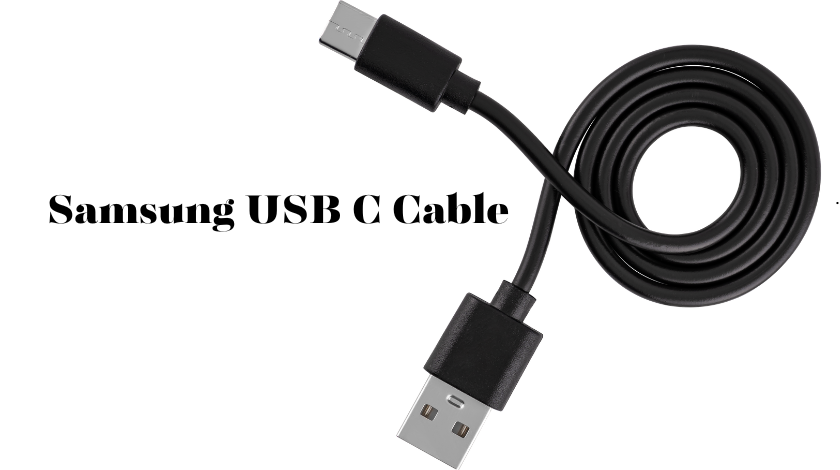

A Samsung USB-C cable may look like a simple accessory, but it plays a critical role in charging speed, data transfer, and the overall lifespan of your devices. Whether you own a Galaxy S series smartphone, a Galaxy Tab, Galaxy Buds, or a Galaxy Book laptop, using the right USB-C cable ensures that your device performs at its best. Choosing an incompatible or low-quality cable can lead to slower charging, unreliable data transfers, and even premature wear over time.
Samsung currently offers several official USB-C cable options designed for different charging needs. Its 3A USB-C to USB-C cable supports up to 60W Power Delivery, up to 25W Super Fast Charging on compatible Galaxy devices, USB 2.0 data transfer speeds of up to 480 Mbps, and is available in lengths up to 1.8 meters. For users who need higher charging performance, Samsung also sells a 5A USB-C to USB-C cable that supports up to 100W Power Delivery and up to 60W Super Fast Charging 3.0 on supported devices.
This guide explores everything you need to know about Samsung USB-C cables, including the different models available, charging capabilities, compatibility, buying tips, and maintenance advice.
What Is a Samsung USB-C Cable?
A Samsung USB-C cable is a charging and data cable equipped with the reversible USB Type-C connector on one or both ends. Unlike older Micro-USB cables that could only be inserted one way, USB-C connectors work regardless of orientation, making charging faster and more convenient.
Samsung manufactures several official USB-C cables optimized for Galaxy devices. Although many third-party USB-C cables can also charge Samsung phones, official cables are engineered to support Samsung’s Super Fast Charging technologies when paired with compatible chargers. Samsung’s current lineup includes 3A and 5A USB-C to USB-C cables, each designed for different power requirements. The 3A version supports devices requiring up to 25W Super Fast Charging, while the 5A version is intended for higher-power charging scenarios and supports 100W USB Power Delivery capability.
Types of Samsung USB-C Cables
Samsung offers several cable options depending on your charging requirements.
3A USB-C to USB-C Cable
This cable is one of Samsung’s most popular accessories. It supports:
- Up to 60W USB Power Delivery (20V/3A)
- Up to 25W Super Fast Charging
- USB 2.0 transfer speeds up to 480 Mbps
- Lengths of 1 meter and 1.8 meters
It is an excellent choice for most Galaxy smartphones, tablets, earbuds, and many accessories.
5A USB-C to USB-C Cable
For users who own compatible Samsung devices requiring higher charging power, Samsung’s 5A cable offers:
- Up to 100W USB Power Delivery (20V/5A)
- Up to 60W Super Fast Charging 3.0
- USB 2.0 data speeds
- 1.8-meter cable length
This cable is especially suitable for newer Galaxy devices and laptops that benefit from higher power delivery.
USB-A to USB-C Cable
Samsung also offers USB-A to USB-C cables for users with older USB-A chargers, computers, or power banks. These remain useful but generally do not support the highest charging speeds available with USB-C Power Delivery.
Key Features
Fast Charging Support
One of the biggest reasons to buy an official Samsung cable is reliable support for Super Fast Charging. Charging performance depends on three components working together:
- A compatible Galaxy device
- A compatible Samsung charger
- A compatible USB-C cable
Using the correct cable allows the phone to negotiate the appropriate charging profile with the charger, delivering safe and efficient power.
Data Transfer
Samsung’s standard USB-C cables support USB 2.0 transfer speeds of up to 480 Mbps. While these are sufficient for photos, videos, and backups, professionals moving very large files frequently may prefer specialized high-speed USB-C cables designed for faster data standards.
Durability
Official Samsung cables are designed for everyday use with reinforced connectors and flexible insulation. Proper storage and avoiding sharp bends can significantly extend cable life.
Samsung USB-C Cable Compatibility
Samsung USB-C cables work with a broad range of devices.
Compatible products include:
- Galaxy S Series
- Galaxy Z Fold Series
- Galaxy Z Flip Series
- Galaxy A Series
- Galaxy Tab Series
- Galaxy Buds
- Galaxy Watches (through compatible chargers)
- Galaxy Books
- Many USB-C accessories
Since USB-C follows an industry standard, Samsung cables also work with many non-Samsung devices that support USB-C charging, although charging speed depends on each device’s supported protocols.
Official vs Third-Party Samsung USB-C Cables
| Feature | Official Samsung Cable | Quality Third-Party Cable |
|---|---|---|
| Super Fast Charging | Yes | Usually |
| USB Power Delivery | Yes | Yes (model dependent) |
| Quality Control | Excellent | Varies |
| Warranty | Samsung Warranty | Manufacturer Warranty |
| Device Compatibility | Optimized for Galaxy | Broad Compatibility |
| Price | Higher | Often Lower |
Third-party cables from reputable manufacturers can perform very well, but extremely inexpensive cables may not meet advertised specifications or safety standards.
How to Choose the Right Samsung USB-C Cable
Before purchasing, consider your actual charging needs.
If your phone supports 25W Super Fast Charging, Samsung’s 3A cable is generally sufficient. If your charger and device support higher power delivery, the 5A cable provides additional headroom for faster charging on compatible hardware. Samsung’s 5A cable supports up to 100W USB Power Delivery, making it a good option for certain Galaxy Books and other USB-C devices.
Cable length also matters. Samsung offers both 1-meter and 1.8-meter versions. A longer cable provides greater flexibility around desks and bedside tables, while a shorter cable is often easier to carry during travel.
Tips for Extending Cable Life
A quality USB-C cable can last for years with proper care.
Avoid pulling the cable by the wire when unplugging it. Instead, grip the connector housing firmly. Store cables loosely instead of wrapping them tightly around chargers, as repeated sharp bends can damage the internal wiring. Keep connectors clean and dry, and avoid exposing cables to excessive heat or crushing them under heavy furniture.
These simple habits help maintain reliable charging performance and reduce the likelihood of premature cable failure.
Conclusion
A Samsung USB-C cable is much more than a simple charging accessory. The right cable ensures your Galaxy devices charge safely, transfer data reliably, and take full advantage of Samsung’s Super Fast Charging technologies. Whether you choose Samsung’s 3A cable for everyday smartphone charging or the more powerful 5A version for higher-powered devices, selecting the correct cable can improve convenience, efficiency, and long-term reliability.
Before buying, check your device’s charging specifications, consider your preferred cable length, and choose an official Samsung cable or a high-quality certified alternative that matches your performance requirements.
FAQs
1. Which Samsung USB-C cable supports the fastest charging?
Samsung’s 5A USB-C to USB-C cable supports up to 100W USB Power Delivery and up to 60W Super Fast Charging 3.0 on compatible devices.
2. Can I use a Samsung USB-C cable with other brands?
Yes. Samsung USB-C cables follow the USB-C standard and work with many compatible devices from other manufacturers.
3. Does every Samsung phone include a USB-C cable?
Most recent Galaxy smartphones include a USB-C to USB-C cable in the box, although the charger may be sold separately depending on the model and region.
4. Are Samsung USB-C cables good for data transfer?
Yes. Official Samsung USB-C cables support USB 2.0 data transfer speeds of up to 480 Mbps, making them suitable for syncing files and charging simultaneously.
5. How do I know if I need a 3A or 5A cable?
A 3A cable is sufficient for most Galaxy smartphones with up to 25W Super Fast Charging, while a 5A cable is recommended for compatible higher-wattage charging and devices that support greater power delivery.